v1.0.0 · self-hosted Minecraft panel

Your server.
Your hardware.
No panel fee.

Run Minecraft Java servers on your PC, Raspberry Pi or VPS. Manage them from your browser.

pi@raspberrypi:~ $curl -fsSL https://github.com/vctrchappot/CraftPanel/releases/latest/download/install.sh | sudo bash
Linux with systemdRead the script first
What the installer prints:
› Looking up the latest release…
› Downloading CraftPanel v1.0.0…
Checksum verified.
› Checking Node.js…
› Installing CraftPanel v1.0.0 to /opt/craftpanel…
› Starting…
✔ CraftPanel v1.0.0 is installed and running
On this machine http://127.0.0.1:8080
  • Windows · Linux · macOS
  • x64 · ARM64 · Raspberry Pi
  • No Docker, no Java setup

From install to update

your browser

Three things are yours: the install command, the software you pick and when you update. CraftPanel does the rest, on your own machine.

your players

01Server software

Six kinds of server. One wizard.

Pick the software, the version and the memory. CraftPanel does the rest and shows you what you'll get.

Plugin servers

Mod loaders

Unmodified

Proxy

Your panelPaper 1.21.4 selected
localhost:8080/server
survivalRunningPaper

Paper 1.21.4 · build 232 · Java 21

Players
6 / 20
TPS
20.0
Memory
1.4 / 2.0GB
Plugins from Modrinth & Hangar
1Software
Paper
2
3Memory
GB
See all supported versions
Official source

Every server comes straight from the project that makes it.

Checksum checked

The download is verified before anything starts.

Right Java, automatically

CraftPanel installs the Java version your server needs.

02What it does

The stuff you'd otherwise do over SSH at 23:00.

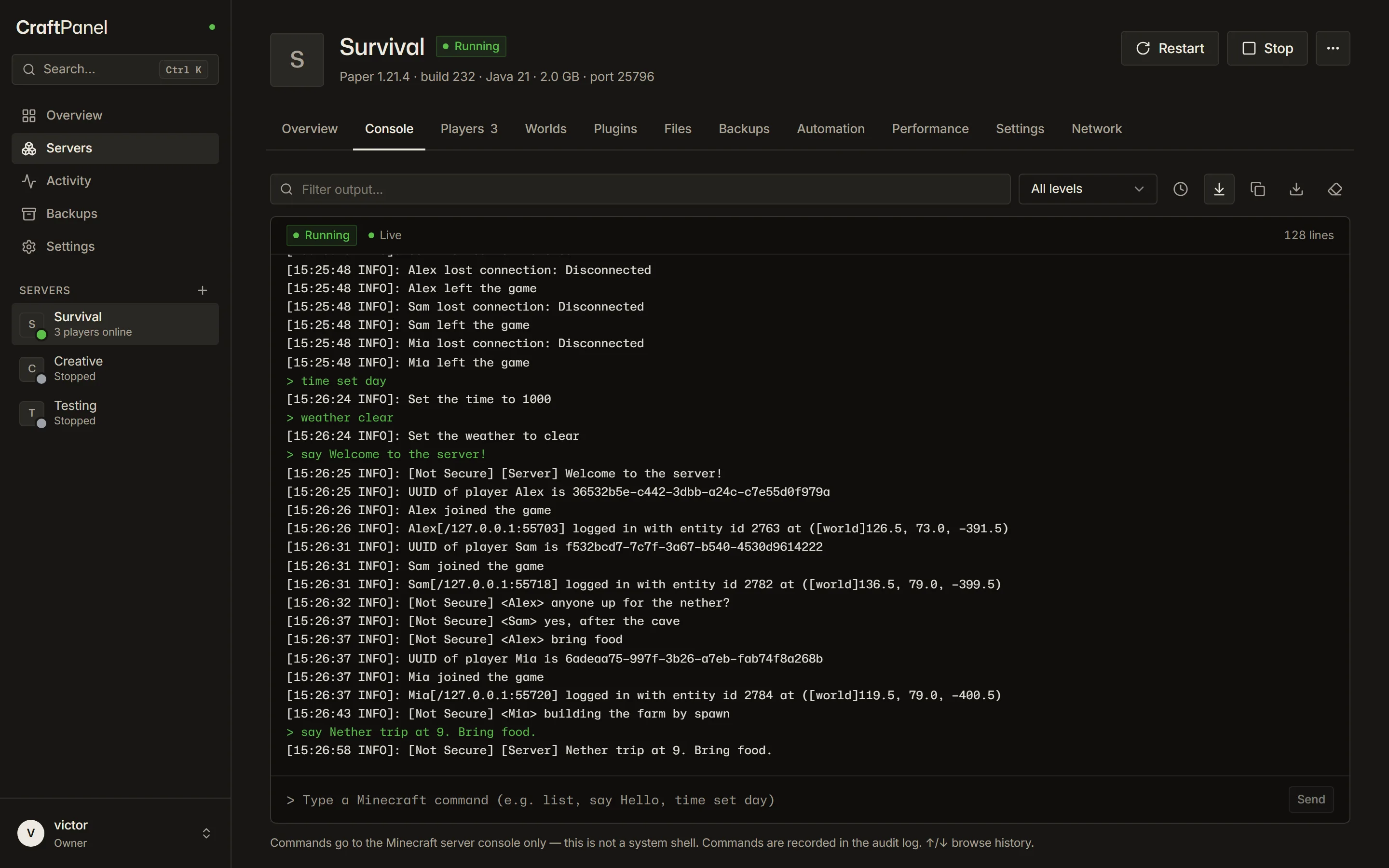
live console · metrics

See what your server is doing. Right now.

The real console over WebSockets, with history, filters and command input. Players, CPU, memory and TPS update every few seconds.

  1. [19:57:51 INFO]: Starting minecraft server version 1.21.4
  2. [19:57:52 INFO]: Loading properties
  3. [19:57:55 INFO]: Preparing level "world"
  4. [19:57:58 INFO]: Preparing start region for dimension minecraft:overworld
  5. [19:58:02 INFO]: Done (8.412s)! For help, type "help"
  6. [19:58:41 INFO]: UUID of player Alex is 8667ba71-b85a-4004-af54-457a9734eed7
  7. [19:58:41 INFO]: Alex joined the game
  8. [19:59:07 INFO]: <Alex> anyone up for the nether?
  9. [20:00:12 INFO]: UUID of player Sam is 0ba1d6e5-61c4-4f7f-9b2c-3f2a6d1c88a0
  10. [20:00:12 INFO]: Sam joined the game
  11. [20:00:30 WARN]: Can't keep up! Is the server overloaded? Running 2154ms behind, skipping 43 ticks
  12. [20:02:18 INFO]: UUID of player Mia is c4f8a2b0-9d3e-4c71-8a65-1e7b0d2f4a93
  13. [20:02:18 INFO]: Mia joined the game
  14. [20:02:55 INFO]: <Sam> yes, after the cave
  15. [20:03:41 INFO]: Mia left the game
  16. > say Nether trip at 9. Bring food.
  17. [20:04:02 INFO]: [Server] Nether trip at 9. Bring food.
  18. [20:15:00 INFO]: Saving the game (this may take a moment!)
  19. [20:15:00 INFO]: Saved the game
  20. [20:21:37 INFO]: Sam has made the advancement [Hot Stuff]
  21. [20:24:09 INFO]: <Alex> see you at 9
independent runtime

Update the panel. Keep playing.

Minecraft runs in its own service. Watch the dashboard update and reconnect while your worlds keep ticking.

Your hostInteractive example
Dashboard
Connectedv1.0.0
Minecraft · 6 online20.0 TPSStill running.
  1. Download v1.0.1
  2. Verify SHA-256
  3. Snapshot database
  4. Start dashboard
  5. Restore v1.0.0 + database

Try an update. The Minecraft process keeps running.

Updating the runtime itself needs a planned server stop. CraftPanel tells you before it happens.

backups

23:04. Someone TNT'd the base.

Pick last night's backup and press Restore. CraftPanel verifies the archive and saves the current mess first, just in case.

Backups of survival

    plugins · mods · modpacks

    Modrinth and Hangar, built in.

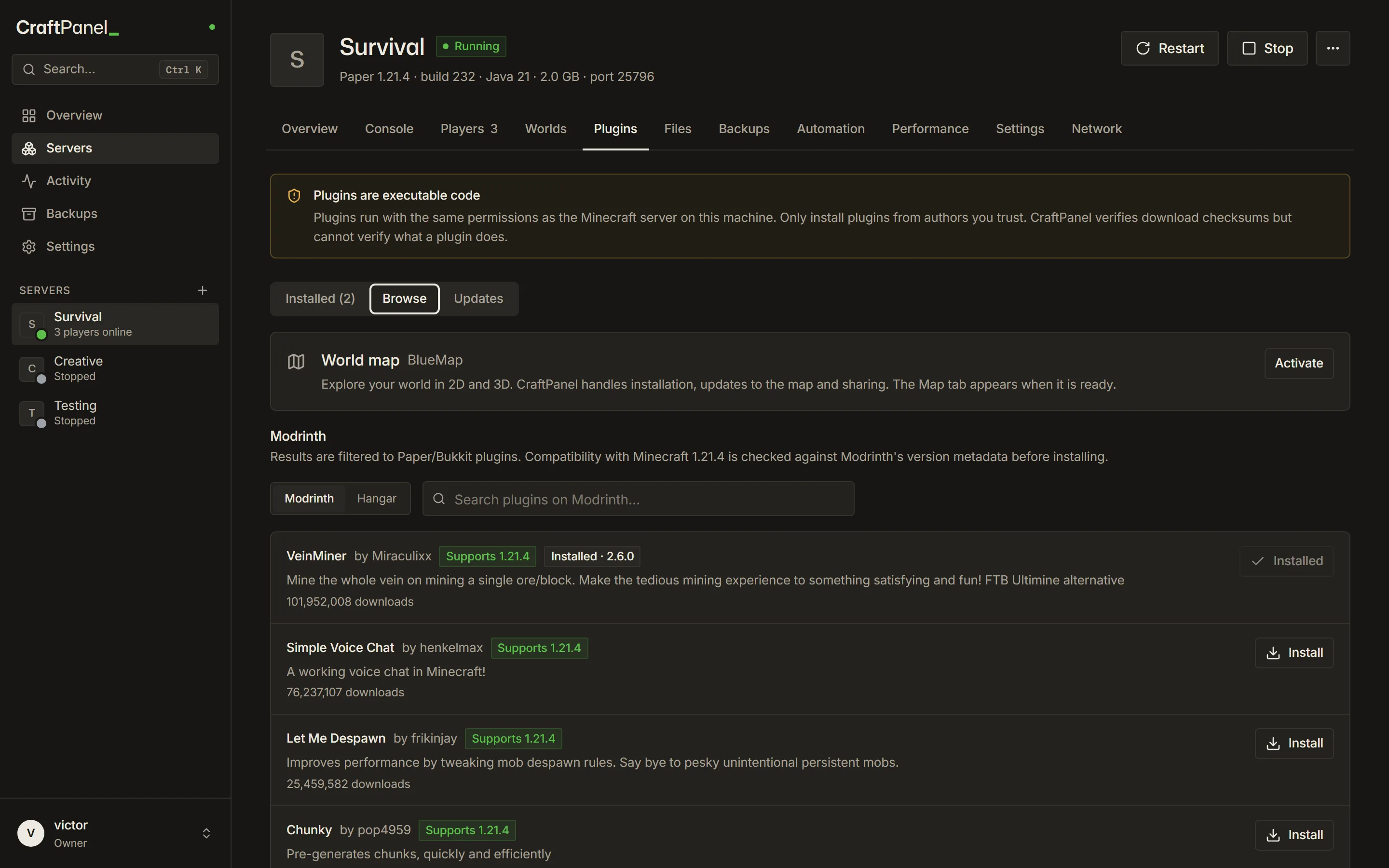
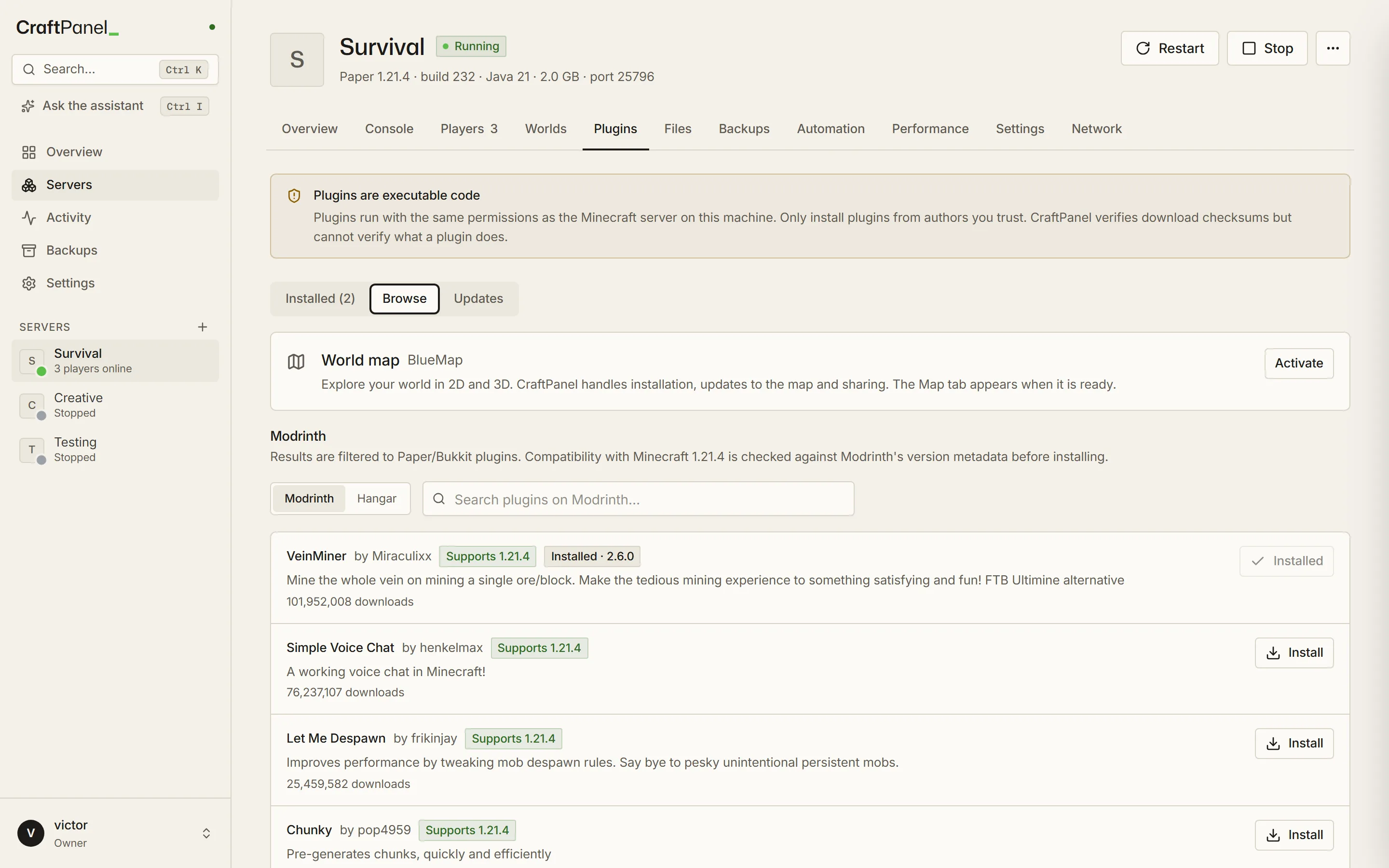
    Search, install with checksum checks and get update suggestions. Or start from a Modrinth modpack: the Minecraft and loader version come from the pack.

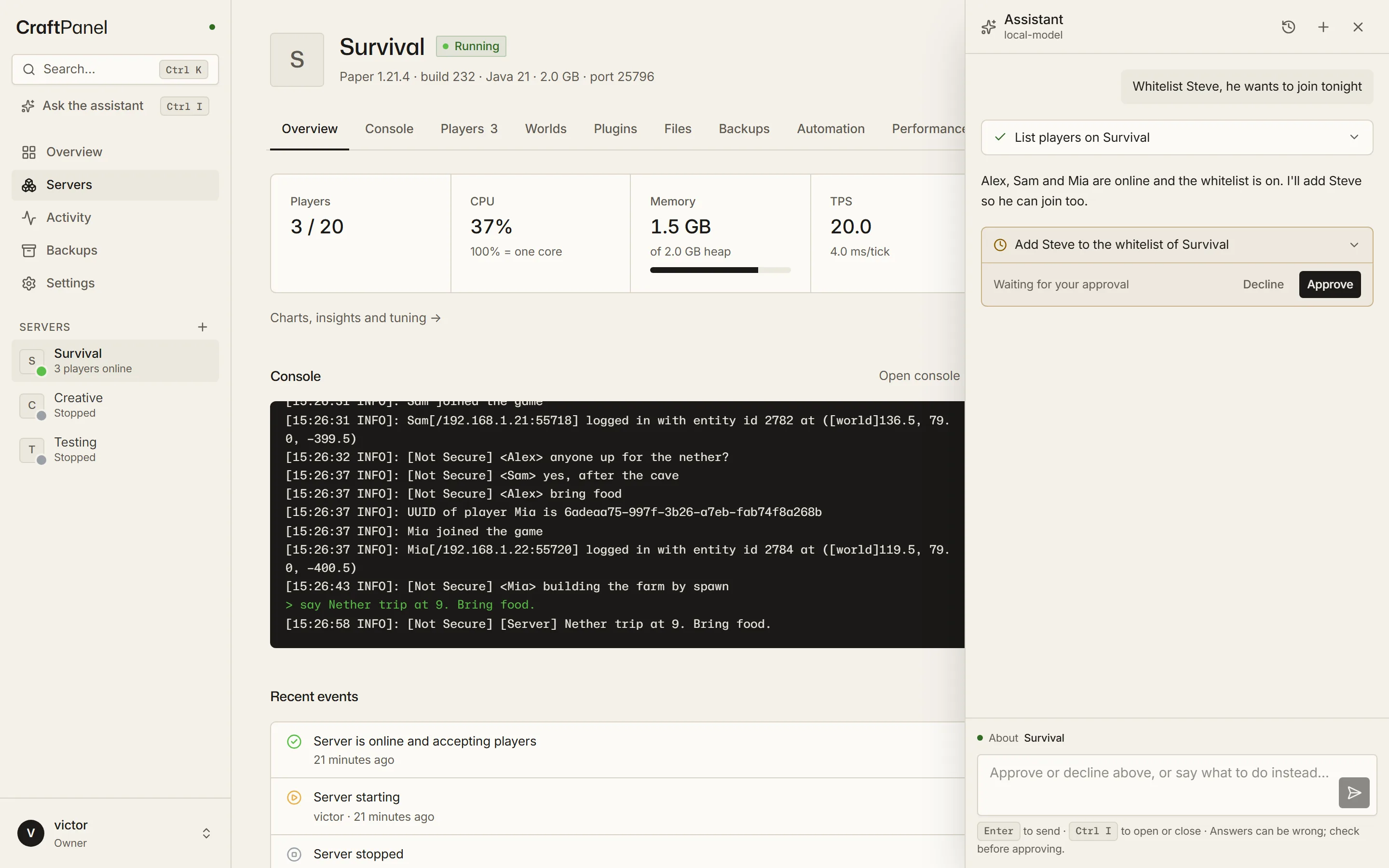
    ai assistant · optional · your key

    Say what you want. Approve what it does.

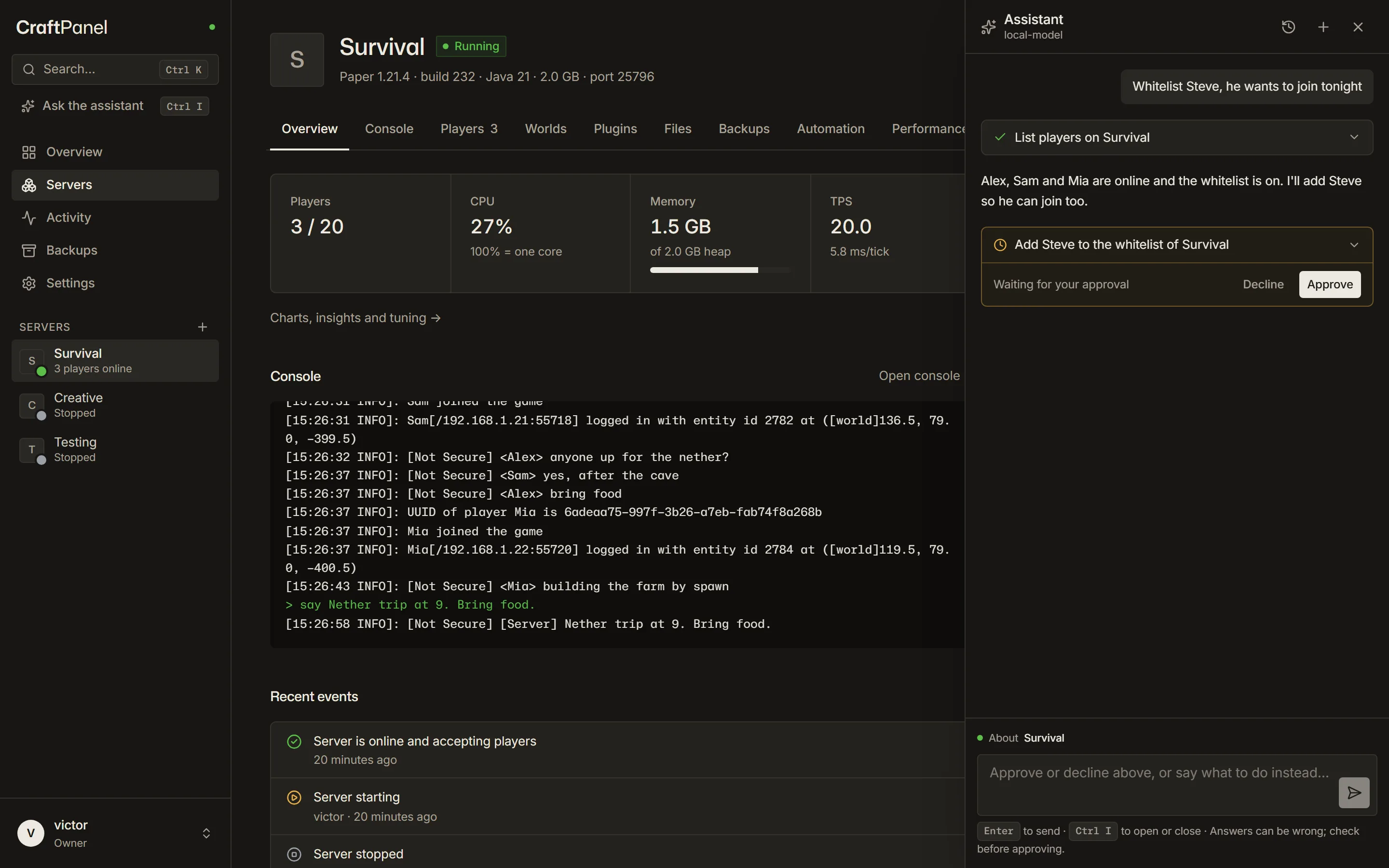
    Ask in plain words. The assistant reads status, players and the console, and every change waits for your OK. Bring a key for Claude or OpenAI, or run a local model.

    Whitelist Steve, he joins tonight

    List players on survival

    Alex and Sam are online and the whitelist is on. I'll add Steve.

    Add Steve to the whitelist

    Waiting for your approval

    performance · insights

    Lag, with a reason.

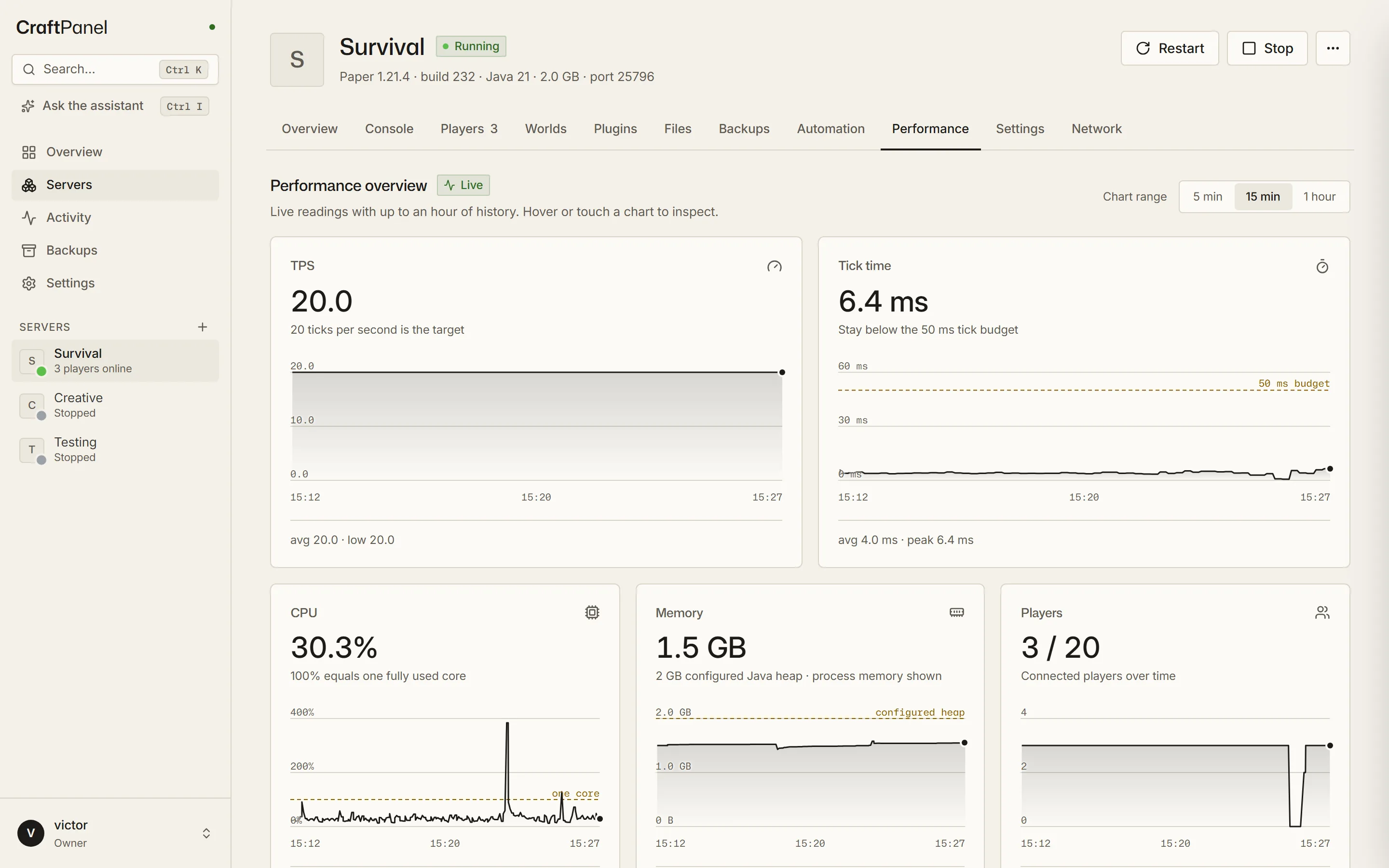
    TPS, tick time, CPU and memory over the last hour. When ticks run long, CraftPanel marks the moment and says what would help.

    Tick time18.6 ms avg · peak 71.4
    Generating new terrain is likely a big part of the loadExploring players force the server to generate chunks while it ticks.Open pre-generation
    • Teams and permissions

      Roles per server, with two-factor sign-in and an audit log of who did what.

      owneradminoperatorviewer

    • Java, handled

      Every Minecraft version gets the Java it needs, downloaded per server. Nothing to install.

      1.8.9 → 81.21.4 → 2126.3 → 25

    • Scheduled tasks

      Restarts with a 60-second warning in chat. Backups, announcements and commands too.

      0 4 * * *restartbackup

    • Crash alerts

      A message when a server crashes, a backup fails or a new release is out.

      Discorde-mail

    • Network tools

      Addresses to copy and port checks, so your friends can actually join.

      LANVPNCGNAT checkDuckDNS

    • Files and worlds

      Edit configs in the browser. Upload a world as a zip, or download one for single player.

      server.propertiesworld.zip

    03Inside the dashboard

    Inside CraftPanel.

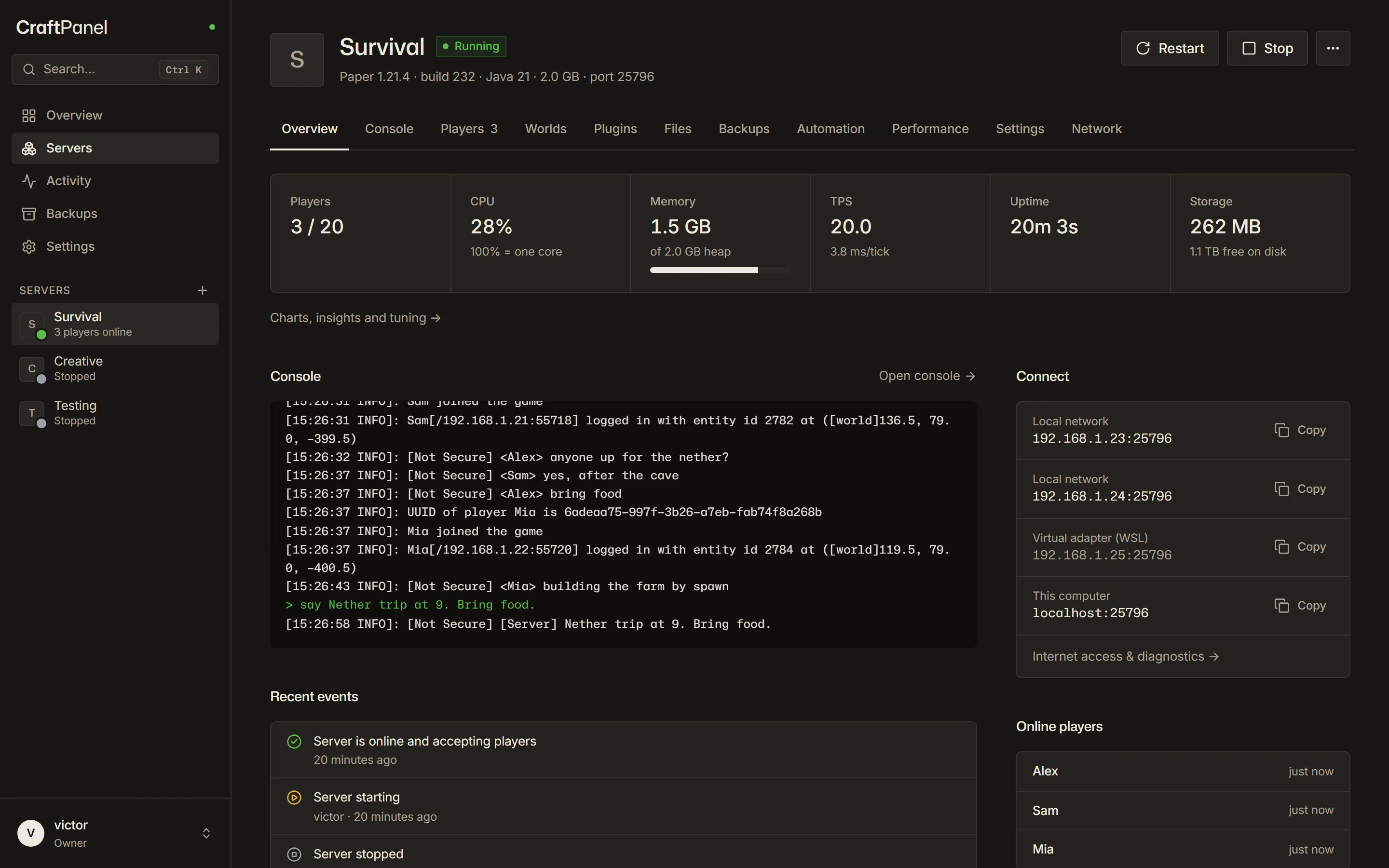
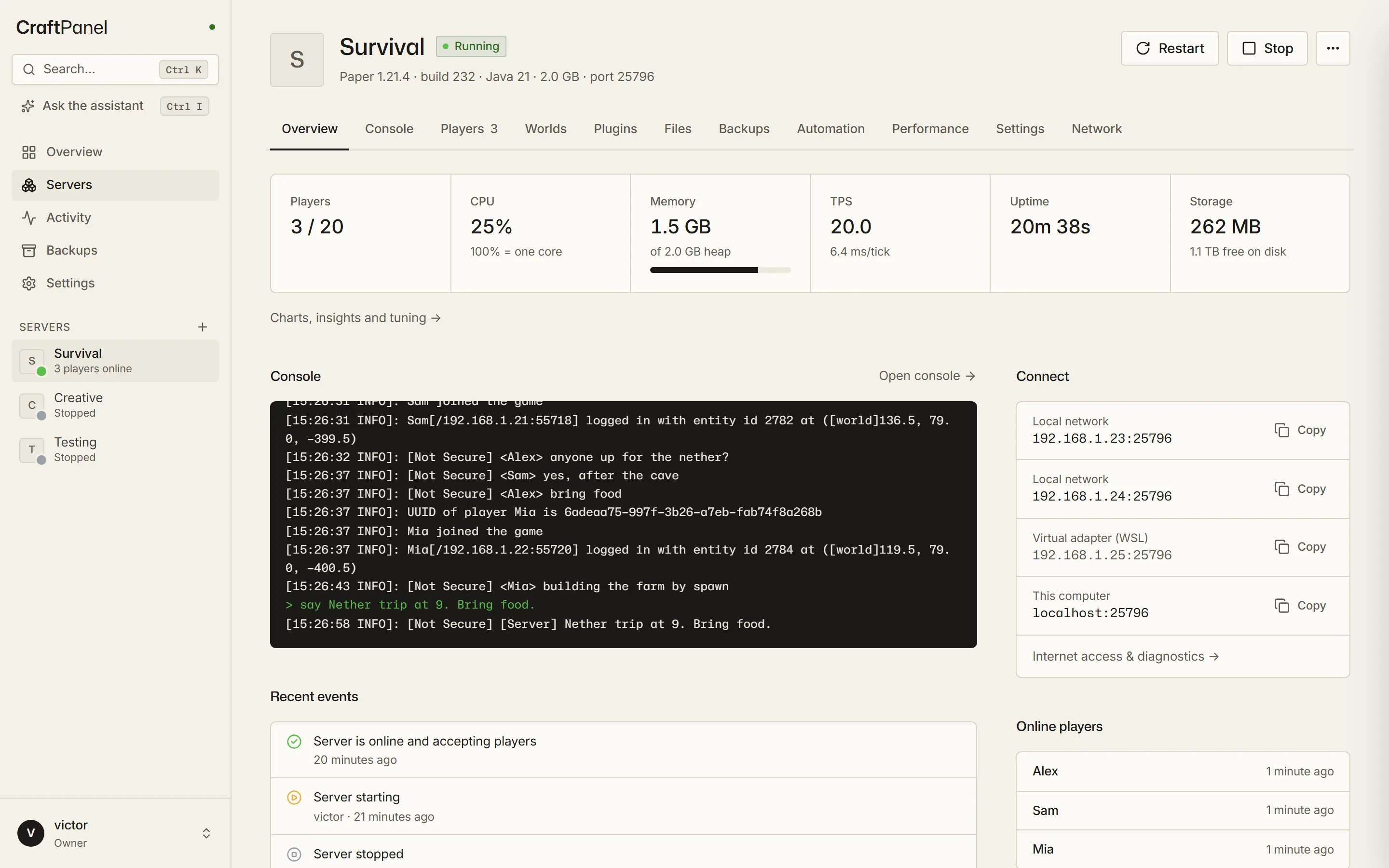
    Server overview with players, CPU, memory, TPS, uptime, storage, the last console lines and connection addressesServer overview with players, CPU, memory, TPS, uptime, storage, the last console lines and connection addresses
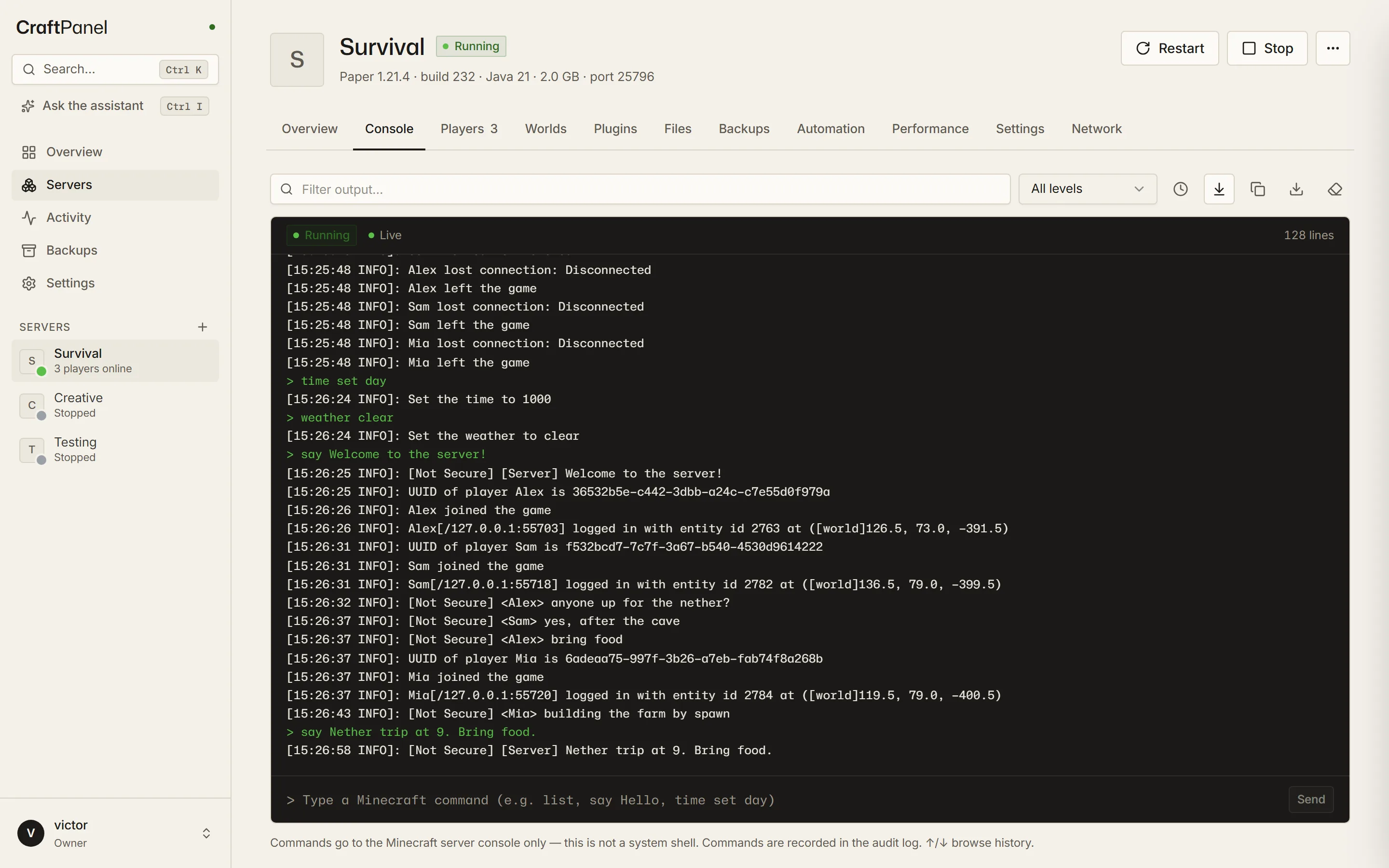
    Live Minecraft console with a filter, level selector and command inputLive Minecraft console with a filter, level selector and command input
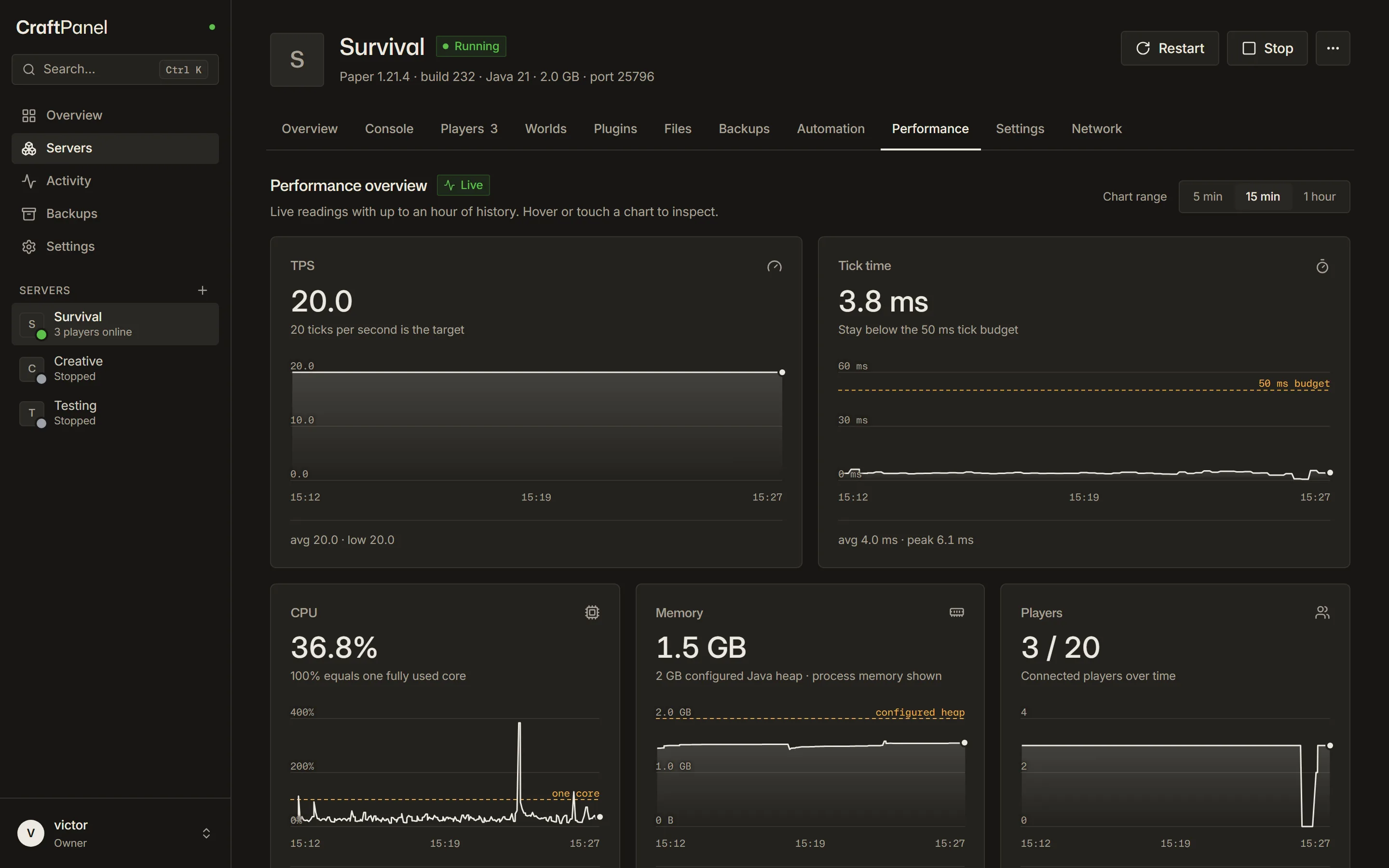
    Performance tab with live charts for TPS, tick time, CPU, memory and playersPerformance tab with live charts for TPS, tick time, CPU, memory and players
    Plugin browser with Modrinth results marked as compatible with Minecraft 1.21.4Plugin browser with Modrinth results marked as compatible with Minecraft 1.21.4
    The optional AI assistant beside the server overview, asking for approval before it whitelists a playerThe optional AI assistant beside the server overview, asking for approval before it whitelists a player
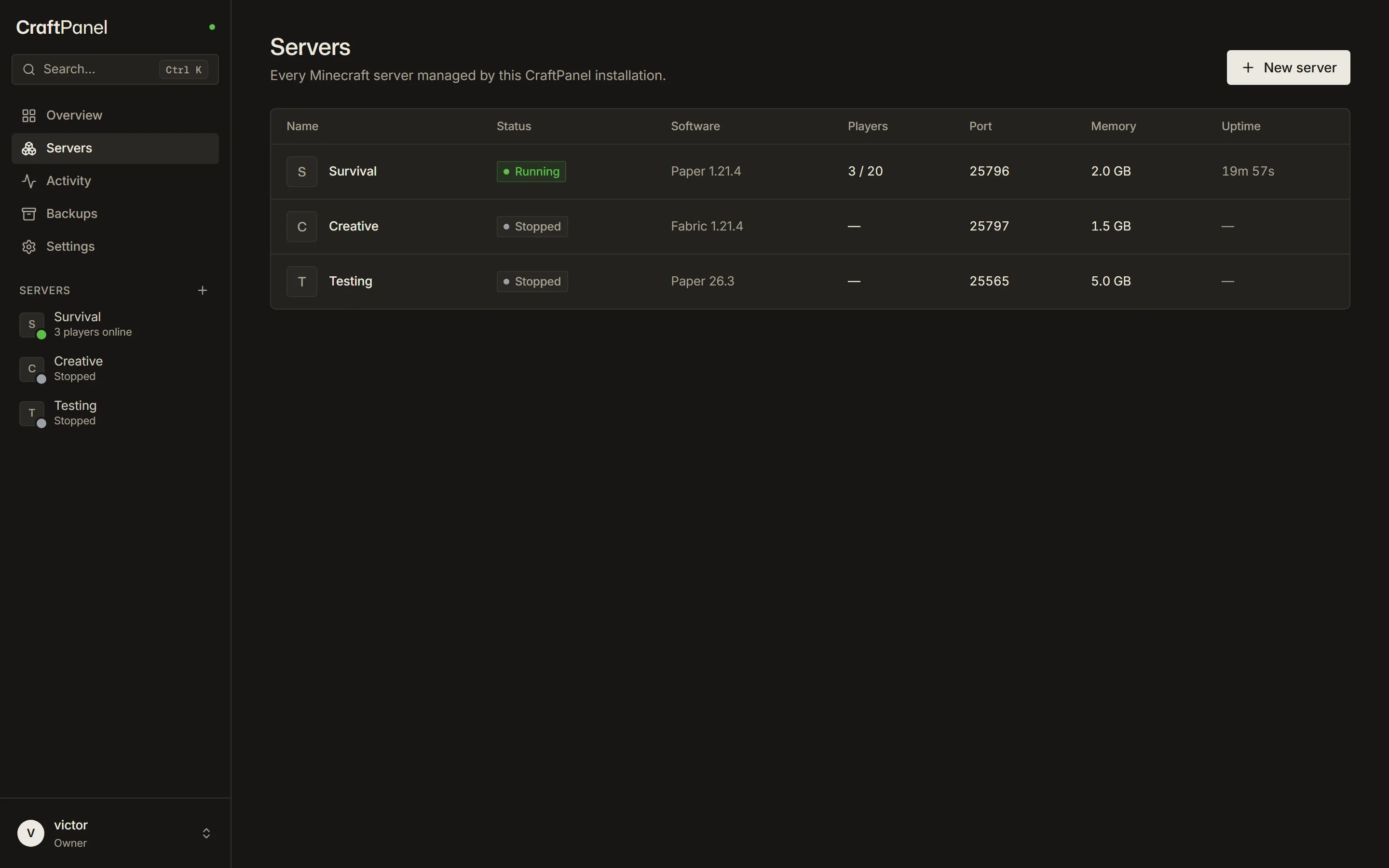
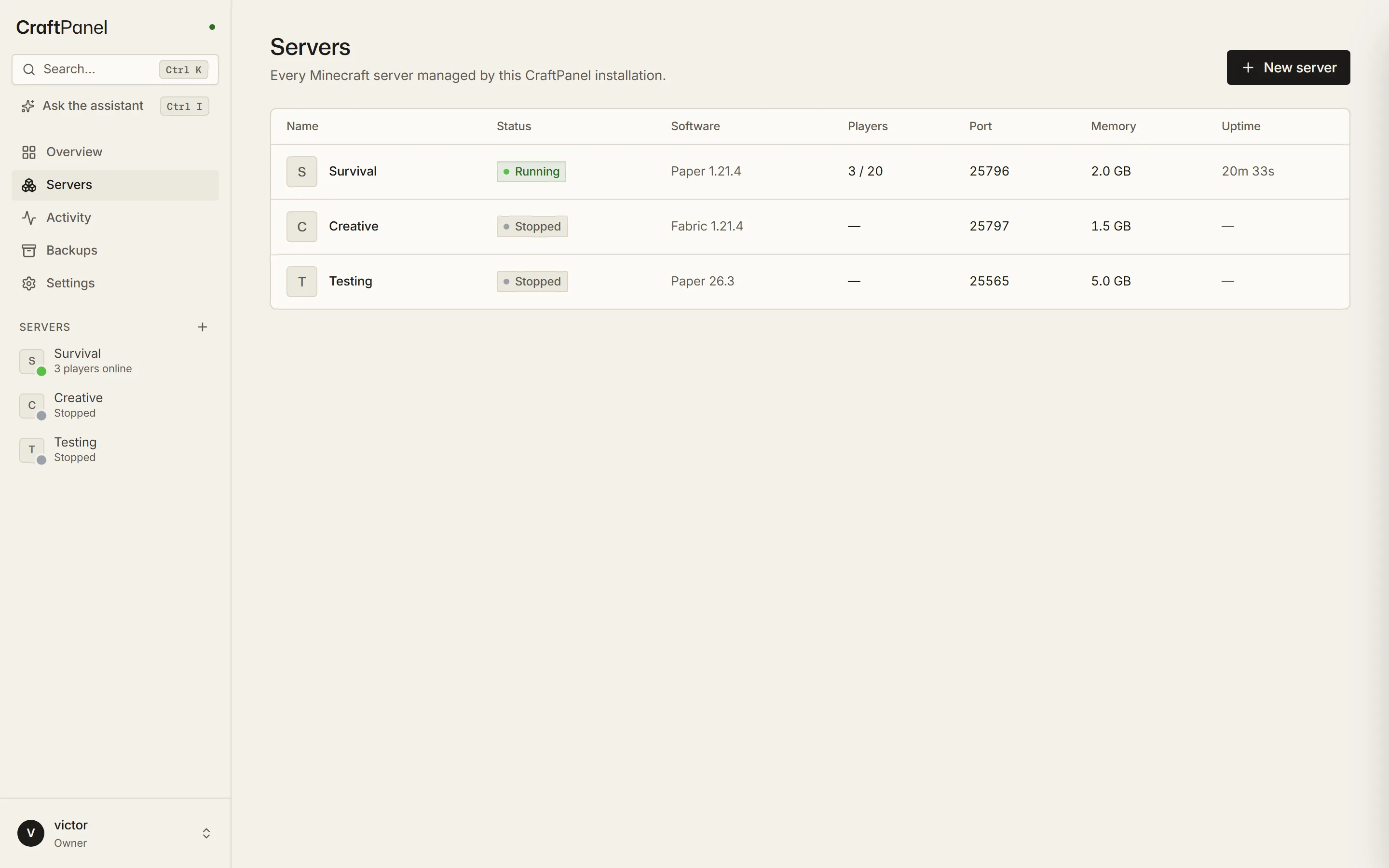
    Server list with a running Paper server and two stopped serversServer list with a running Paper server and two stopped servers

    Pick a number to zoom in.

    04Hardware

    Runs on what you have.

    Planning estimates for Paper with a pre-generated world, not measured hardware benchmarks. Mods, mob farms and view distance change the load.

    The PC under your desk

    Windows · Linux · macOS

    RAM for Minecraft
    4–8 GB
    Players, estimate
    10–30

    Automatic services on Windows and Linux; manual setup on macOS. Your gaming PC works too: Minecraft servers don't use the GPU.

    Raspberry Pi 4 / 5

    64-bit Raspberry Pi OS

    RAM for Minecraft
    2–3 GB
    Players, estimate
    2–8

    Draws a few watts. Pick the Pi preset, pre-generate the world, keep worlds on an SSD.

    A small VPS

    Linux with systemd

    RAM for Minecraft
    4–8 GB
    Players, estimate
    10–20

    Choose a plan with a public IP and allow the Minecraft port in its firewall. Keep the dashboard behind a VPN, SSH tunnel or HTTPS reverse proxy.

    05Hosting choices

    Run it yourself, or rent a managed server?

    Both are good answers. The real question is who looks after the machine.

    AspectCraftPanel on your machineManaged Minecraft hosting
    CostFree panel. You pay for power, or for a VPS.A monthly fee, by plan and memory.
    Files & worldsEvery file on your own disk.Through the host's file manager or SFTP, by plan.
    Server softwarePaper, Purpur, Fabric, NeoForge, Vanilla or Velocity.What the host offers.
    UpkeepYours: the machine, its updates, the network. Backups run on a schedule.The host looks after hardware and network.
    UptimeAs long as your machine is on.Data-centre hardware, on around the clock.
    Reaching playersPort forwarding or a VPS. CraftPanel checks whether friends can join.A public address is included.
    Getting startedOne-line installer on Linux and Windows; manual setup on macOS.Sign up and pick a plan.
    • Run CraftPanel if…

      you have a spare PC, a Raspberry Pi or a VPS, and want your worlds and settings on hardware you control.

      Install it
    • Rent a server if…

      nobody wants to look after a machine or a router, and the server has to stay online around the clock.

    • Pick another panel if…

      you run many machines or games: Pterodactyl spreads servers across nodes in Docker, Crafty Controller also runs Bedrock. CraftPanel manages one host today; more are planned.

    06Project & source

    Built by Victor.

    CraftPanel is built for people running their own Minecraft server. The source, issues and release notes are public.

    View on GitHub
    latest release
    v1.0.0 9 Nov 2026 · Release notes
    tests
    400+ automated tests, plus real-server scenarios with a bot that joins and chats
    ci
    Every push: Linux, Windows, macOS and ARM64
    license
    FSL-1.1-ALv2, Apache-2.0 after two years
    telemetry
    None. Not even a counter.
    github
    Source, issues and roadmap. A star helps.

    07Questions

    Asked before.

    Short answers to what people ask before installing. The docs have the long ones.

    What does it cost?

    The CraftPanel software is free. You pay for hardware, electricity and any VPS or connectivity you use. It is source-available under FSL-1.1-ALv2, which restricts competing commercial uses. Each version becomes Apache-2.0 after two years.

    Read the license
    What hardware do I need?

    Anything that runs Node.js 22.13 or newer: a Windows or Linux PC, a Mac, a Raspberry Pi 4/5 with a 64-bit OS, or a small VPS. Minecraft needs most of the memory: about 2 GB for a small Paper server, 4 GB or more for modpacks.

    Installation guide
    Bedrock?

    Not yet. CraftPanel runs Minecraft Java Edition servers. A Bedrock adapter is on the roadmap.

    Can I bring my existing world?

    Yes. Create a server with the same software and version, then import the world as a zip in the Worlds tab, or upload files in the file manager.

    Worlds and backups
    Should I open the dashboard to the internet?

    No. Only the Minecraft port should be public. Reach the dashboard through a VPN like Tailscale, an SSH tunnel or an HTTPS reverse proxy. By default CraftPanel only lets in private networks and refuses public clients without HTTPS.

    Remote access
    Is there AI in it?

    Only if you want it. The optional assistant is off until the owner adds their own key for Claude, OpenAI or a local model such as Ollama. It acts with the asking user's permissions and asks before it changes anything.

    AI assistant
    Does it phone home?

    No telemetry and no CraftPanel cloud account. You create local users on your installation. CraftPanel goes online for official downloads, Modrinth and Hangar when you browse add-ons, and an optional update check against GitHub.

    Security and privacy

    Install CraftPanel.

    1. Run the command
    2. Open localhost:8080
    3. Create your first server
    $curl -fsSL https://github.com/vctrchappot/CraftPanel/releases/latest/download/install.sh | sudo bash